Showing posts with label clearly. Show all posts

Thursday, January 21, 2016

Evernote Clearly is going away - here are two alternatives


Evernote Clearly is a great browser extension that cleans up a web page so that jus the article is visibgle for viewing, eliminating distractions like ads and other links. It is a great tool for students to use to help them focus on what they are reading. Unfortunately, Evernote is not going to support it anymore (to focus more on their core app) and you won't even be able to download it after tomorrow.


Here are two options you can use going forward:

1. Evernote Web Clipper - the Evernote web clipper can perform a similar function. Click on it while on the site you want to clean up, click "simplified article" and then read it. When done, just close out the clipper window and it goes back to the original site.


2. Readability - Readability is a web and mobile app that zaps clutter and saves web articles in a comfortable reading view.The official Readability extension for Chrome provides a better way to read online, turning any web page into a comfortable reading view right in your web browser. Features: • "Read Now" to disable surrounding webpage noise and clutter • "Read Later" to save content to your personal reading list • "Send to Kindle" to send any web page to your Kindle in a comfortable reading view • Tagging to help you keep your reading list organized • Automatically sync your reading list to your Kindle every day with Kindle digests • Printing • Sharing through email, Facebook, and Twitter • Configurable content appearance: font color and size
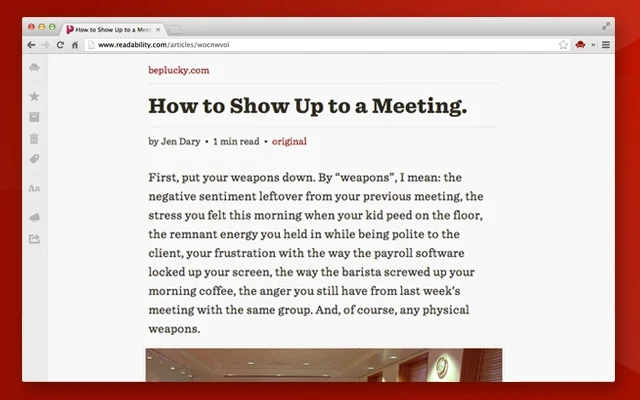


Both options work well and provide a useful tool for students.

There are other options also, but these are the two I like.


Related:

Evernote in Education Resources


-
Saturday, April 11, 2015

Evernote Tips and Tricks Series - #13 - Clearly - clean up what you are viewing

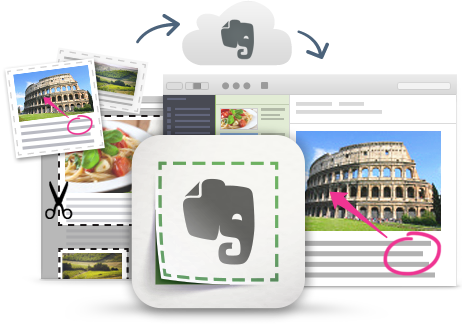
Evernote Web Clipper graphic

I'm a huge fan and user of Evernote, and lots of people ask me for tips on using it, so I'm starting a series of blog posts on Evernote Tips and Tricks to share some great tips and ideas for using Evernote.

Tip #13 - Clearly

Evernote's Web Clipper allows you to clip a "simplified article" when clipping from a website. This feature gets rid of the side bars, ads, etc and just copies the article (occasionally it doesn't work depending on how the site was built, but it works most of the time.) It's a great way to just clip the article and not the distractions, making it easier to read, as well as taking less time to clip and using less storage space.


Evernote also has a stand alone browser extension that does basically the same thing, called Clearly.
Evernote Clearly is a browser extension that allows you to read online with less distractions. You simply click the extension and it hides all the distractions from blogs and articles, allowing you to read with less distractions and more easily. It use it a lot, especially on sites that have a ton of ads or side bar items.

This is great for students who have issues with distractions and makes things easier to read. 

Simply install the extension and click on it when in an article. From there, you can clip it to Evernote, highlight, annotate or even print.